Writing robust web page titles is among the easiest and most impactful Web optimization optimizations you may make. The title tag is usually the very first thing customers see in search outcomes, and it helps engines like google perceive the content material of your web page.
On this article, you’ll be taught what Web optimization web page titles are, why they matter, and find out how to write titles that enhance visibility and entice clicks.
Key takeaways
- Crafting a robust web page title is important for Web optimization; it attracts clicks and helps engines like google perceive your content material
- An Web optimization web page title seems in search outcomes and browser tabs, serving as the primary impression for customers
- To optimize your web page title, embrace related key phrases and guarantee it aligns with the content material to enhance your rating
- Yoast Web optimization gives instruments to assist verify title width and key phrase utilization, and consists of an AI-powered title generator
- You may change the web page title after publication, and doing so might considerably enhance click-through charges
What’s an Web optimization web page title?
Let’s begin with the fundamentals. When you have a look at the supply of a web page (right-click on the web page, then select View Web page Supply), you discover a title within the head part. It seems like this:
That is an instance Web optimization title - Instance.com
That is the HTML title tag, additionally known as the Web optimization title. While you look one thing up in a search engine, you get an inventory of outcomes that seem as snippets. The half that appears like a headline is the Web optimization title. The Web optimization title usually consists of the put up title however can also incorporate different parts, resembling the location title. And even emojis!
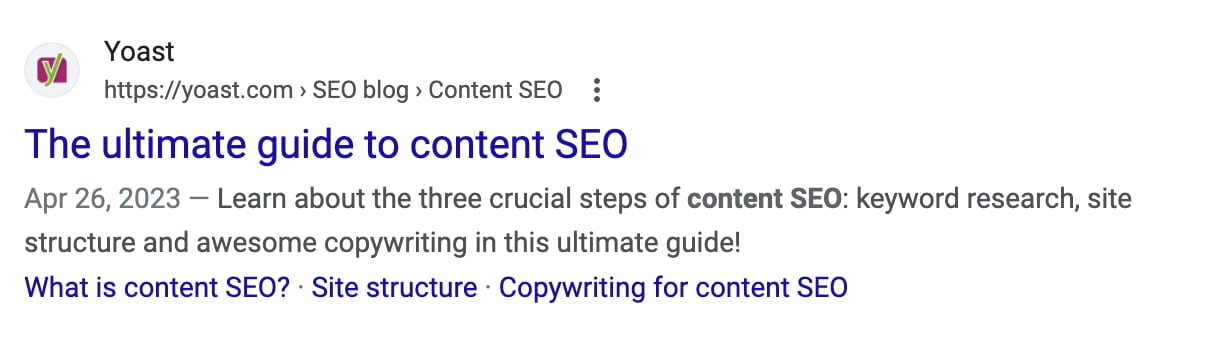
Generally, the Web optimization title is the very first thing individuals see, even earlier than they get in your web site. In tabbed browsers, you’ll normally additionally see the Web optimization title within the web page tab, as proven within the picture beneath.

What’s the aim of an Web optimization title?
Your Web optimization title goals to entice individuals to click on on it, go to your web site, learn your put up, or buy your product. In case your title isn’t ok, individuals will ignore it and transfer on to different outcomes. Basically, there are two targets that you just need to obtain with an Web optimization title:
- It should allow you to rank for a key phrase
- It should make the consumer need to click on by way of to your web page
Google makes use of many indicators when deciding your relevance for a selected key phrase. Whereas click-through price isn’t a direct rating issue, consumer interplay with search outcomes could be a sign {that a} consequence matches search intent.
In case your web page ranks properly however attracts few clicks, which will point out your title doesn’t resonate with searchers. Bettering your Web optimization title can improve clicks and allow you to carry out higher over time.
Moreover, as talked about earlier, Google makes use of the Web optimization title specified in your web site as a rating enter. So, it’s not nearly these clicks; you additionally have to be sure that your title displays the subject being mentioned in your web page and the key phrase that you just’re specializing in. The Web optimization title you utilize has a direct affect in your rating.
Now that you understand the significance of Web optimization titles, let’s have a look at find out how to consider and enhance them. Instruments like Yoast Web optimization (Free) will help by checking key parts resembling title width and key phrase utilization. Yoast Web optimization Premium makes use of generative AI to create titles.
A wiser evaluation in Yoast Web optimization Premium
Yoast Web optimization Premium has a sensible content material evaluation that helps you’re taking your content material to the following stage!
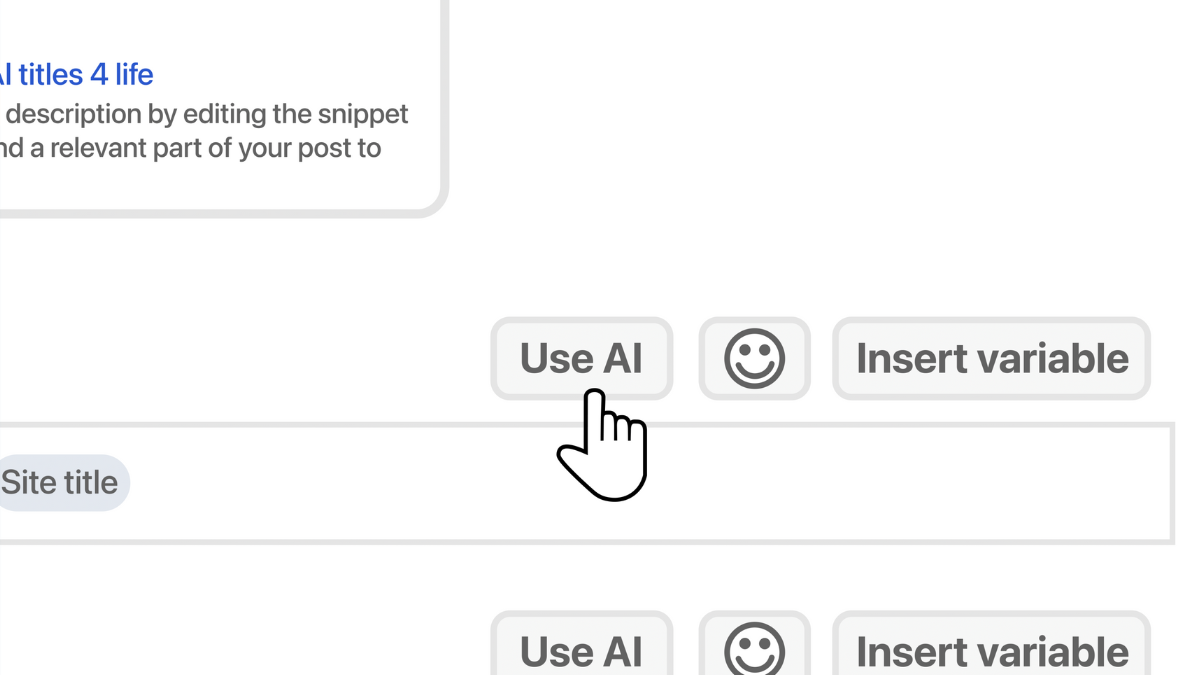
Yoast Web optimization Premium consists of an AI-powered title generator that may allow you to create Web optimization-friendly web page titles based mostly in your content material and focus keyphrase. This may be helpful for inspiration or for shortly producing alternate options if you’re uncertain find out how to phrase a title.
As with all AI-generated content material, it’s greatest to evaluate and refine the instructed titles to make sure they align together with your web page’s intent, model voice, and viewers expectations.
As well as, when you use Yoast Web optimization Premium, you get varied different AI options, like Yoast AI Optimize, that allow you to do the onerous work.
What does the empty title verify in Yoast Web optimization do?
The empty title verify in Yoast Web optimization Premium is self-explanatory: it checks whether or not you’ve stuffed in any textual content in your put up’s ‘Title’ part. When you haven’t, you’ll see a purple site visitors gentle reminding you so as to add a title. As soon as that is stuffed in, the put up title could be robotically added to the Web optimization title area utilizing the ‘Title’ variable.
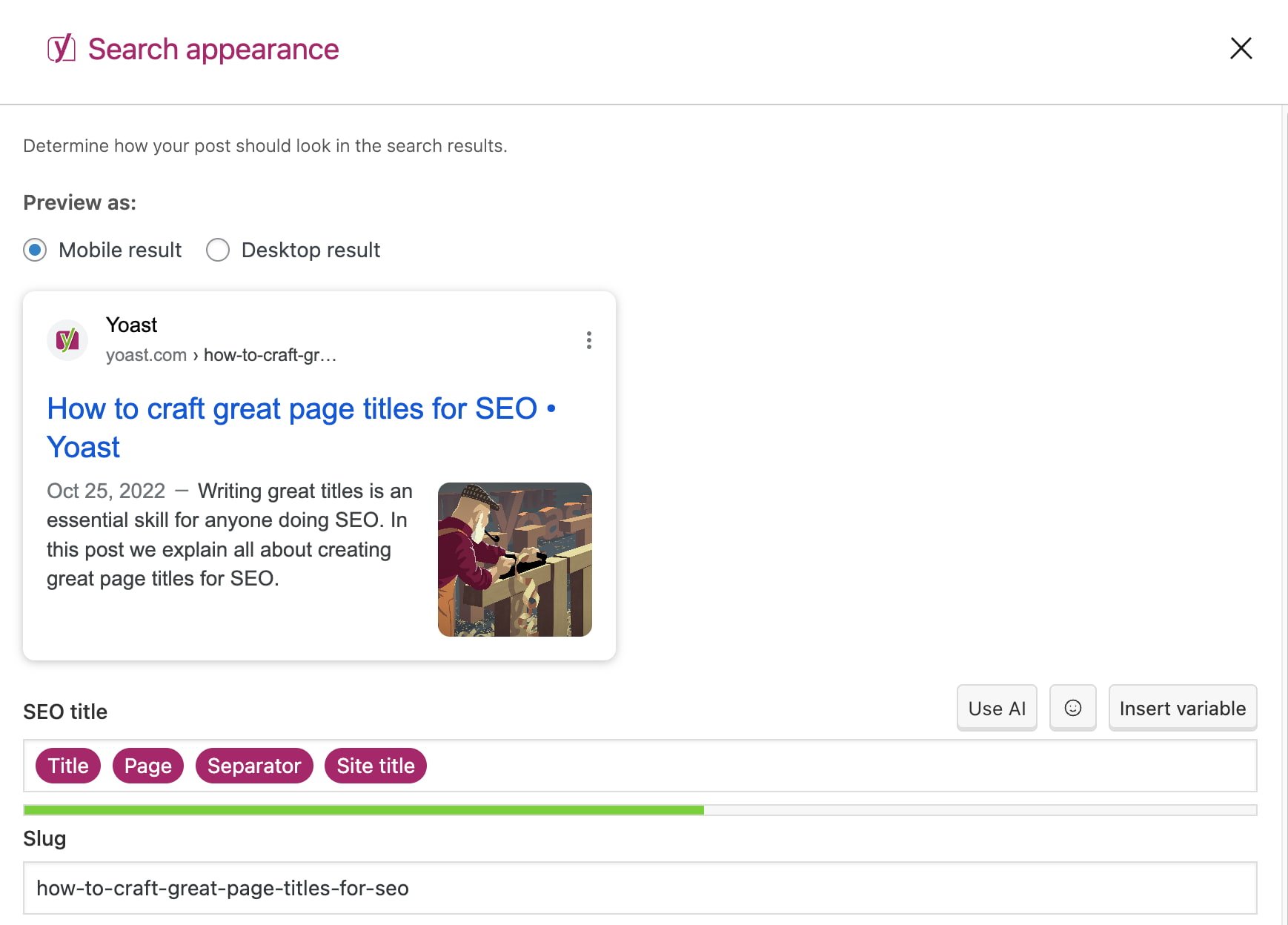
Word that your put up title is output as an H1 heading. A transparent H1 helps customers shortly perceive what a web page is about, improves accessibility for display readers, and aids engines like google in deciphering the web page construction. It’s best to solely use one H1 heading per web page to keep away from complicated engines like google. Don’t fear; we’ve bought a verify for a number of H1 headings in Yoast Web optimization!
What does the Web optimization title width verify in Yoast Web optimization do?
You’ll find this verify within the Web optimization tab of the Yoast Web optimization sidebar or meta field. When you haven’t written an Web optimization title but, this may remind you to take action. Moreover, Yoast Web optimization verifies the width of your Web optimization title. When it’s too lengthy, you’ll get a warning.
We used to warn you in case your Web optimization title was too brief, however we’ve modified that since our Yoast 17.1 launch. A title with an optimum width will get you a inexperienced site visitors gentle within the evaluation. Do not forget that we exclude the separator image and web site title from the title width verify. We don’t think about these when calculating the Web optimization title progress bar.

Easy methods to write an Web optimization title with an optimum width
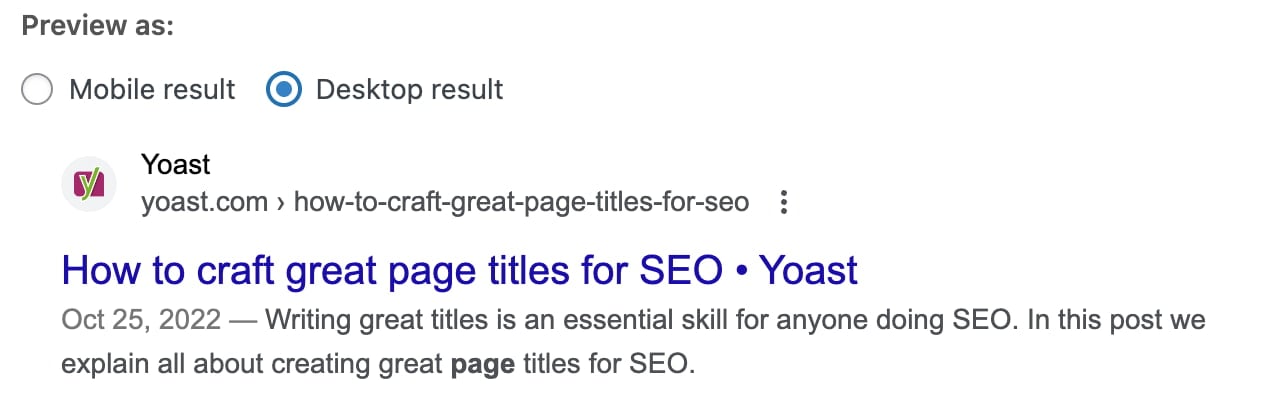
In case your Web optimization title doesn’t have the proper width, components of it could be lower off in Google’s search outcomes. The consequence might fluctuate, relying on the system you’re utilizing. That’s why you may also verify how your Web optimization title will look within the cell and desktop search leads to the Search look part of Yoast Web optimization. The device defaults to the cell model, however you may also swap to view it within the desktop model.
Right here’s a desktop consequence:
And right here’s the cell consequence for a similar URL:
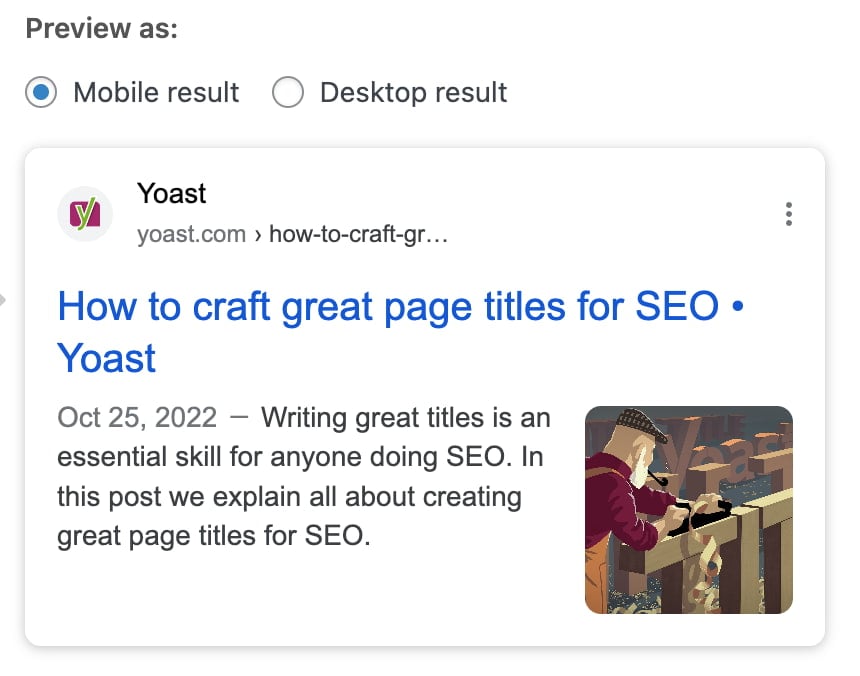
As a normal guideline, purpose for a title that totally shows on cell search outcomes, clearly communicates the primary subject, and avoids pointless filler phrases. In case your title matches visually and nonetheless reads naturally, you’re heading in the right direction.
Width vs. Size
Have you ever seen that we speak about width fairly than size? Why is that? Somewhat than utilizing a personality rely, Google has a hard and fast width for the titles counted in pixels. Whereas your title tags could be lengthy, and Google doesn’t have a set restrict on the variety of characters you should utilize, there’s a restrict on what’s seen within the search outcomes. In case your Web optimization title is just too huge, Google will visually truncate it. That is likely to be totally different from what you need. Moreover, keep away from losing beneficial house by retaining the title concise and clear. Moreover, the Web optimization title typically informs different title-like parts, such because the og:title, which additionally has show constraints.
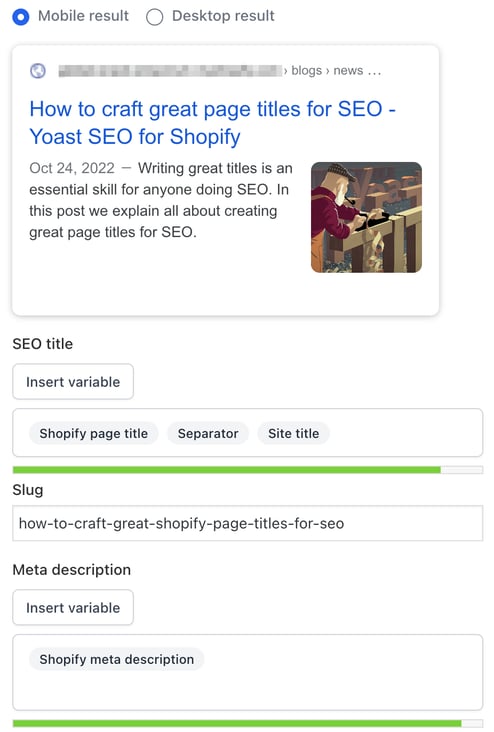
Fortunately, our Search look part will help you out! You may fill in your Web optimization title; our plugin will give you speedy suggestions. The inexperienced line beneath the Web optimization title turns purple when your title is just too lengthy. Keep watch over that and use the suggestions to create nice headlines.

What does the keyphrase within the Web optimization title verify in Yoast Web optimization do?
This verify seems within the Web optimization tab of the Yoast Web optimization sidebar in WordPress and Shopify, in addition to within the meta field in WordPress. It checks when you’re utilizing your keyphrase within the Web optimization title of your put up or web page. This verify is deliberately strict as a result of the Web optimization title performs an vital function in signaling a web page’s subject to each engines like google and customers. Since Google makes use of the title to determine your web page’s subject, not having the main target keyphrase within the Web optimization title might hurt your rankings. Moreover, potential guests usually tend to click on on a search consequence that matches their question. For optimum outcomes, attempt to embrace your keyphrase in the beginning of the Web optimization title.
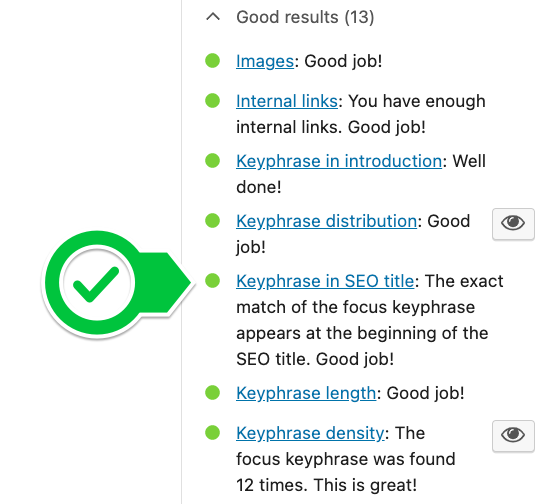
Easy methods to use your keyphrase within the Web optimization title
Generally, when optimizing for a extremely aggressive key phrase, everybody can have the key phrase in the beginning of the Web optimization title. In that case, you’ll be able to attempt making it stand out by placing one or two phrases earlier than your focus key phrase, thereby barely “indenting” your consequence. In Yoast Web optimization, when you begin your Web optimization title with “the”, “a”, “who”, or one other perform phrase adopted by your keyphrase, you’ll nonetheless get a inexperienced site visitors gentle.
At different instances, resembling when you will have a really lengthy keyphrase, including the whole keyphrase in the beginning doesn’t make sense. In case your Web optimization title seems bizarre with the keyphrase in the beginning, attempt to add as a lot of the keyphrase as early within the Web optimization title as doable. However at all times keep watch over the pure circulate and readability.
Easy methods to scale back the prospect of Google rewriting your Web optimization title
Google might rewrite titles when they’re overly lengthy, full of key phrases, deceptive, or inconsistent with the web page’s fundamental heading.
To scale back the chance of rewrites:
- Make certain your Web optimization title carefully matches your web page’s H1
- Keep away from extreme separators, repetition, or boilerplate textual content
- Make sure the title precisely displays the web page content material
Whereas rewrites can nonetheless occur, clear and concise titles usually tend to be proven as written.
Need to learn to write textual content that’s nice to learn and optimized for engines like google? Our Web optimization copywriting course will help you with that. You may entry this course and our different Web optimization programs with Yoast Web optimization Premium. This additionally offers you entry to additional options within the Yoast Web optimization plugin.
Are you fighting extra elements of Web optimization copywriting? Don’t fear! We are able to educate you to grasp all aspects, so that you’ll know find out how to write superior copy that ranks. Check out our Web optimization copywriting coaching and take a look at the free trial classes!
Crafting Web optimization-friendly web page title: FAQs
Are the Web optimization title and the H1 heading the identical?
To be clear, you shouldn’t confuse the Web optimization title with the put up title; each serve totally different functions and don’t have to be the identical.
The put up title, also referred to as the H1 heading, is the primary heading customers see on the web page. Its major function is to assist readers perceive what the web page is about and so as to add construction to your content material. It’s best to at all times write your H1 with customers in thoughts.
The Web optimization title is the title that seems in search outcomes and within the browser tab. This title helps engines like google perceive the subject of your web page and influences whether or not customers click on in your consequence.
Whereas the Web optimization title and H1 could be comparable, they don’t must be similar. In WordPress, instruments like Yoast Web optimization mean you can set a separate Web optimization title, supplying you with extra management over how your web page seems in search outcomes with out altering the on-page heading.
Do you have to add your model to the Web optimization title?
For fairly a while, it was a standard observe amongst some SEOs to omit the location title from the Web optimization title. The concept was that the “density” of the title mattered, and the location title wouldn’t assist with that. Don’t do that. If doable, your Web optimization title ought to embrace your model, ideally in a recognizable method. If individuals seek for a subject and see your model a number of instances, even when they don’t click on on it the primary time, they could click on once they see you once more on their subsequent web page of outcomes.
Nonetheless, with the web site title and favicon updates, make sure to fill within the web site settings, add a favicon, and make normal modifications to the design of the snippets. It will improve your model’s visibility in search outcomes. At the moment, you’ll discover that Google hardly reveals your model title within the snippet’s title. Nonetheless, Google typically has a thoughts of its personal when producing titles to alter them for any given purpose. The design and performance of the SERPs can change at any second, so we nonetheless advocate including your model to your titles.
Can you alter the Web optimization title after a web page is printed?
Sure. You may change the Web optimization title even after a web page has been printed, and doing so can enhance efficiency.
At Yoast, we as soon as seen that though we ranked properly for “WordPress safety,” the web page was not getting as a lot site visitors as anticipated. We up to date the Web optimization title and meta description to make them extra participating and related. Because of this, site visitors to that web page elevated by over 30 %.
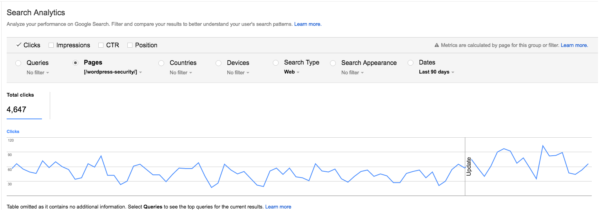
The unique Web optimization title was:
WordPress Safety • Yoast
We modified it to:
WordPress Safety in just a few simple steps! • Yoast
This modification didn’t considerably have an effect on rankings, however it did enhance click-through charges. The key phrases stayed largely the identical, however the title turned extra compelling for searchers.
This reveals that optimizing Web optimization titles after publication could be an efficient technique to improve site visitors, particularly in case your web page already ranks properly however receives fewer clicks than anticipated.
Does Google at all times use the Web optimization title you set?
No. Google doesn’t at all times show the precise Web optimization title you set in search outcomes.
That mentioned, the HTML title tag continues to be the most typical supply Google makes use of for producing title hyperlinks. Google Search makes use of the next sources to robotically decide title hyperlinks:
- The
- The primary seen heading on the web page, such because the
- Different headings on the web page
- Distinguished textual content styled to face out
- Anchor textual content from inside or exterior hyperlinks
- Structured information associated to the web site
Google usually selects one title per web page and doesn’t change it for various queries.
What does this imply for you? The Web optimization title you set stays vital for rating and relevance. Even when Google typically shows a special model, your title nonetheless helps engines like google perceive the content material of your web page.
To remain on prime of modifications, monitor your key pages in Google Search Console, verify how titles seem in search outcomes, and look ahead to shifts in click-through charges.
Can you utilize the identical title for Web optimization and social media?
You may, however it’s typically higher to not.
What is likely to be a superb Web optimization title isn’t essentially a superb title for social media. In social media, key phrase optimization is much less vital than making a title that entices individuals to click on. You typically don’t want to incorporate the model title within the title. That is very true for Fb and X when you embrace some branding in your put up picture. Our social media look previews in Yoast Web optimization Premium and Yoast Web optimization for Shopify will help you.
When you use Yoast Web optimization, you’ll be able to set totally different titles for Google, Fb, and X. Enter your Web optimization title within the snippet editor, then customise the social media titles within the social tab. If you don’t set a selected X title, X will use the Fb title by default.
This flexibility permits you to optimize your titles for each engines like google and social platforms with out compromise.