Till just lately, picture modifying felt like flying a spaceship. Hit that button, transfer the slider, goal your weapon.
That’s superb should you’re exploring deep house. However once you’re simply attempting to shine a number of snaps on your web site… it feels actually cumbersome.
AI picture editors promise to hurry issues up. They use a cocktail of cutting-edge algorithms to do the pixel pushing for you — so you are feeling extra like an government director than a humble editor.
A minimum of, that’s the idea. However do these AI instruments actually stay as much as the hype? And in that case, which apps are value your hard-earned moolah?
We determined to research and put the most effective AI picture editors by means of their paces!
What Can AI Picture Editors Truly Do?
Most AI picture editors are actually good at changing issues, including new content material, and automating the boring elements of picture modifying.
That interprets to:
- Eradicating backgrounds from product pictures.
- Erasing undesirable objects for a cleaner closing picture.
- Changing boring skies and adjusting lighting to match.
- Studying your modifying fashion, so you may batch-edit pictures sooner.
- Sharpening up blurry pictures that had been destined for the trash.
- Upscaling small photographs with none lack of high quality.
This all sounds very handy. However aren’t you giving up some management by making AI do all of the work? Eh…sure and no.
Whilst you’re clearly delegating the guide work, most AI instruments usually are not “click on to repair.” You continue to have selections to make about how the AI performs the duty.
And simply as importantly, most AI picture modifying apps include conventional modifying instruments. If you wish to make the ultimate changes your self, you may.
What Are the Finest General AI Picture Editors in 2026?
You didn’t come for an extended learn, so let’s lower to the chase. Listed below are the most effective AI picture editors on the planet proper now, primarily based on our exams:
Discover that we haven’t ranked them right here. That’s as a result of AI picture editors are available in a variety of flavors. What works for another person would possibly utterly mess up your workflow.
So, right here’s a fast cheatsheet that can assist you discover the right match:
| Your Major Want | Finest Instruments | Why |
| Higher photographs for my web site | Luminar Neo, Canva | Fast enhancements or customized graphics. |
| Product pictures for my retailer | Photoroom, Claid, Take away.bg | Clear backgrounds and polished ends in seconds. |
| Social media posts and graphics | Canva | Templates + AI instruments. |
| Fast fixes and batch modifying | Imagen AI, Radiant Picture 2 | One-click fixes, restricted studying curve. |
| Skilled modifying on a finances | ON1 Picture RAW, Lightroom | Full toolkits with out complications or subscriptions. |
In fact, that is solely the TL;DR model. Up subsequent, we’ll be taking a deep dive into each app.
To make the listing simpler to navigate, we’ve sorted the opinions by use case. Simply scroll till you discover the outline that matches what you want!
What Are the Finest AI Picture Editors for Web site Photographs?
You’re attempting to replace your web site, nevertheless it’s taking eternally to good the visuals. Ugh. Perhaps strive a few of these AI editors as a substitute?
We current to you, in no specific order:
Luminar Neo: Finest Objective-Made AI Editor
Not like many picture editors, Luminar Neo was constructed for AI. And you may actually really feel it.
The app affords 24 AI-powered instruments, and so they’re surprisingly straightforward to regulate. We had been notably impressed by the sky replacer, which switched out clouds for a dramatic sundown. It solely took a few clicks.
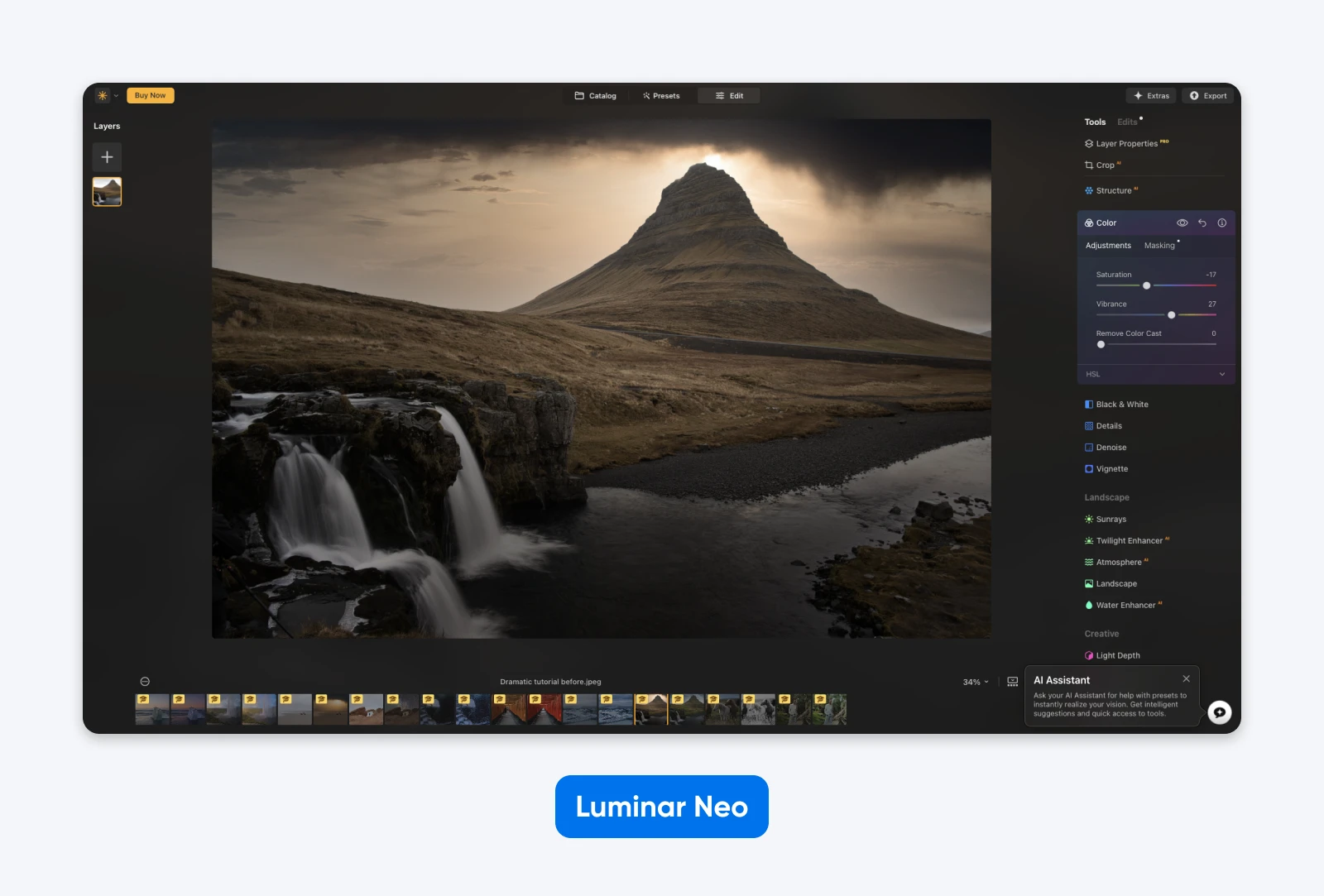
Neo additionally has a built-in AI assistant. This allows you to ask for edits, a bit like prompting ChatGPT. In our exams, it didn’t all the time perceive the artistic imaginative and prescient. However it’s a pleasant choice to have, nonetheless.
Neo works on each desktop and cellular gadgets, plus there’s a Photoshop plugin.
Finest AI options:
- One-slider lighting and colour enhancement.
- Straightforward sky alternative and relighting.
- Automated pores and skin retouching.
Weaknesses:
- Neo will make your laptop sweat, particularly should you attempt to edit batches.
What customers say:
“I like how briskly I can get stuff finished. The AI instruments (like Sky Alternative and Relight) are fairly sensible. Most edits take only a few clicks and look good immediately.” — Marharyta on G2.
Pricing: Perpetual licenses from $119, or $159 for cross-platform (together with cellular).
Canva: Finest AI Editor for Social Media and Advertising Content material
Canva is aimed toward individuals who wish to seize a template, insert a picture, and put up to social media. However it’s really rather more succesful than that.
This web-based platform allows you to transfer topics round your pictures and take away something you don’t need. You may even recompose your pictures utilizing textual content prompts.
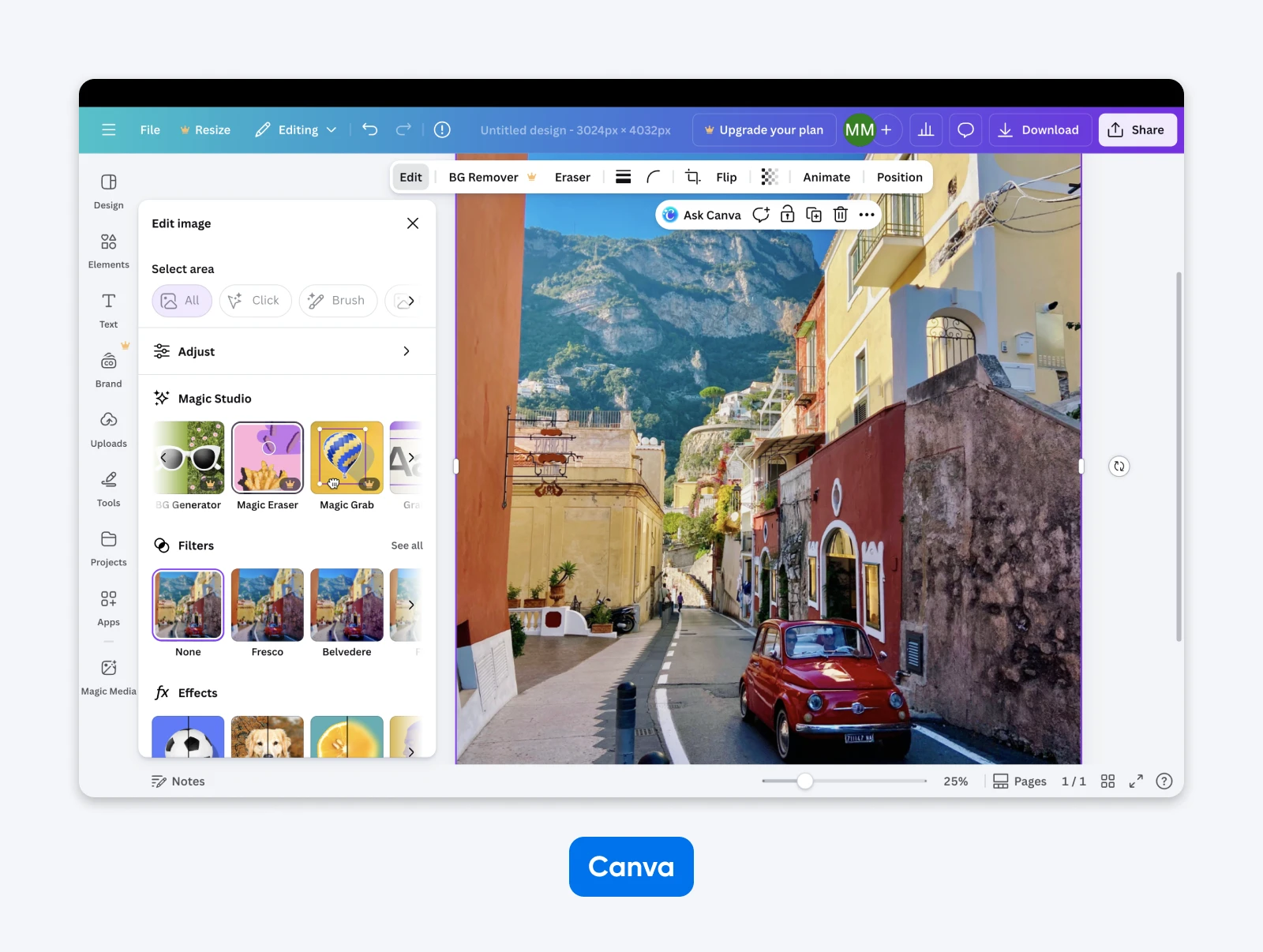
If that wasn’t sufficient, Canva has an enormous library of AI “apps” — particular person instruments, every with a selected goal. You may flip static photographs into video avatars, upscale pictures, convert sketches into artwork, and rather more.
Certain, the edits aren’t as clear as with professional-grade apps, however that doesn’t matter for many individuals.
Finest AI options:
- Transfer any topic across the picture.
- Recompose your picture utilizing AI textual content prompts.
- Flip photographs into artwork or video.
Weaknesses:
- Most AI options are locked behind a subscription.
- The standard of edits doesn’t match that of pro-grade apps.
What customers say:
“The AI instruments are additionally actually useful, particularly once I have to increase a background that wasn’t clearly captured in a photograph. They’re certainly one of my favourite options.” — Sahil A. on G2.
Pricing: Free to strive, however AI options in paid plans beginning at $12.99 per 30 days.
What Are the Finest AI Editors for Product Photographs?
If you need folks to purchase out of your on-line retailer, you might want to present the products, however creating nice product pictures is usually a trouble.
These AI picture editors might help to hurry issues up:
Photoroom: Finest for Sprucing Product Photographs on Cellular
Product images feels surprisingly straightforward once you use Photoroom.
With this mobile-first app, you may snap a fast picture and exchange the background in seconds. The AI expertise usually does an excellent job of choosing the primary topic, leaving you with a very clear consequence.
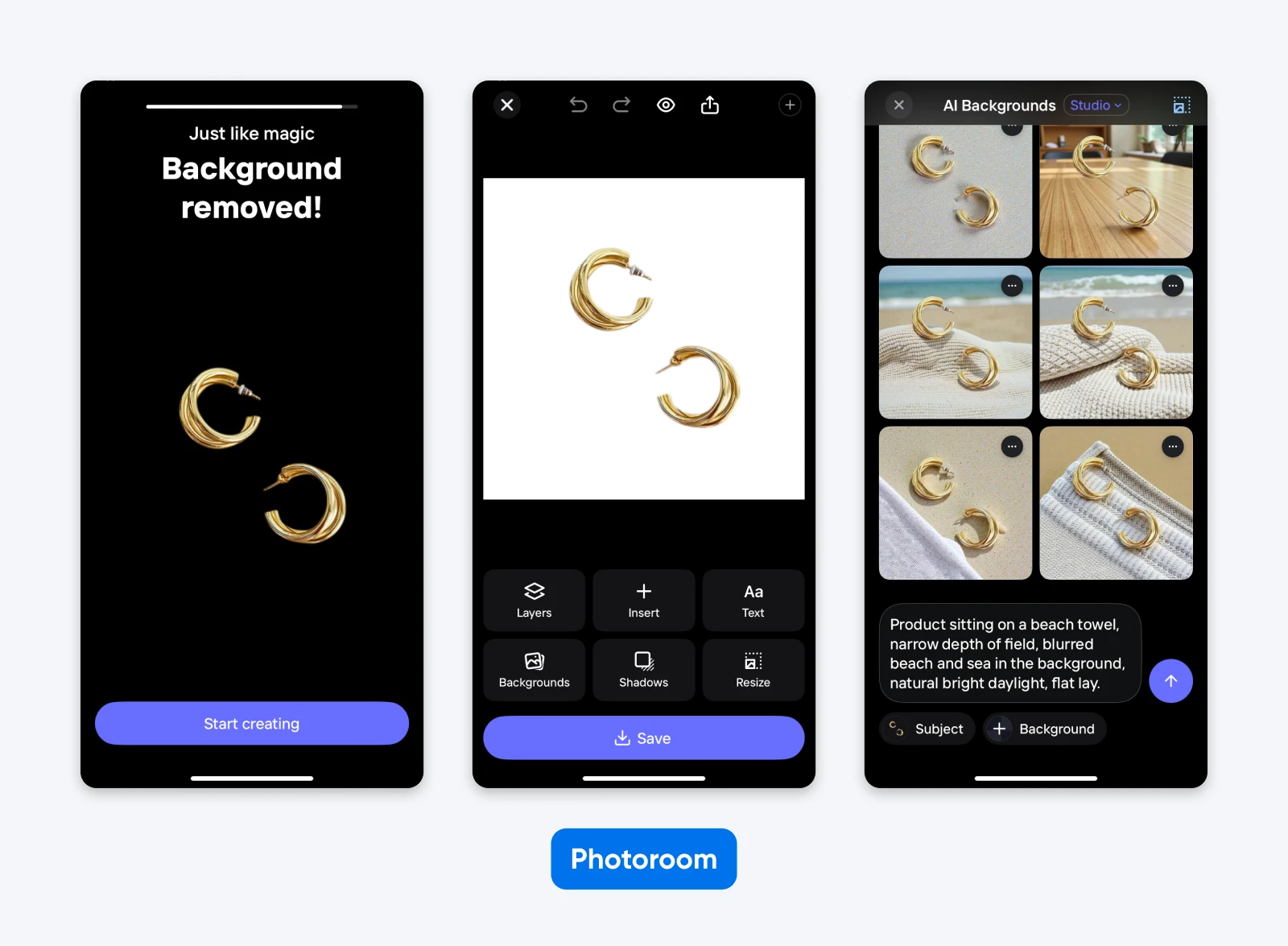
To take issues a step additional, Photoroom can place your product in sensible environments utilizing generative AI — inserting a purse on the shoulder of a mannequin, for instance. You may also change the colour of the product if you’d like (helpful for product variants), and add a drop shadow.
Is it good? No. The AI doesn’t all the time get it proper, however you may’t knock the comfort.
Finest AI options:
- Robotically take away and exchange backgrounds.
- AI-powered staging for way of life photographs.
- Change the product to any colour.
Weaknesses:
- Lacks the total suite of conventional modifying instruments.
- Doesn’t all the time get the background cut-out proper.
What customers say:
“I’ve been utilizing Photoroom for the previous two years, primarily for background elimination, and it provides extraordinary outcomes for me. It saves a whole lot of time in comparison with guide picture cutouts.” — Sanjith T. on G2.
Pricing: Free with restricted credit; paid plans begin at $7.50 per 30 days.
Claid: Finest for Automated Product Picture Enhancement
For the worth of delicate inconvenience, Claid delivers an awesome AI modifying expertise for product pictures.
This app is web-based and optimized for desktop gadgets, so that you’ll have to add pictures to your laptop. Nevertheless, it’s definitely worth the effort.
Claid allows you to generate stunning way of life pictures from a easy product shot, together with flatlays and vogue shoots.
You may select from a spread of various environments, fashions, and poses, and use textual content prompts to clarify what you want. Our take a look at outcomes had been actually good.
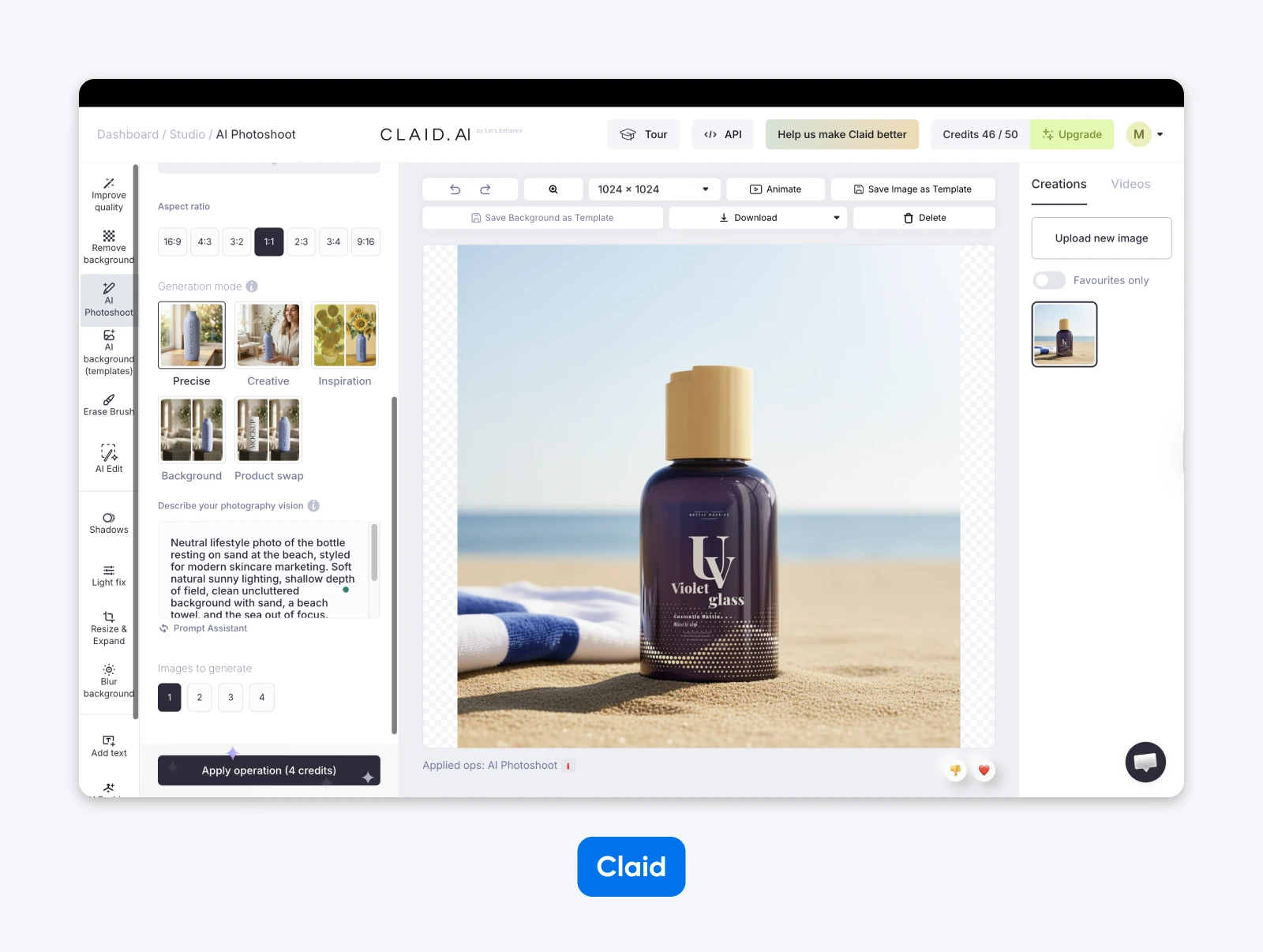
The background remover is equally highly effective, and we like the automated enhancer function — it adjusts lighting and colour so as to add visible punch.
The most effective half? The Claid API allows you to add these options on to your retailer content material administration system (CMS).
Finest AI options:
- Highly effective AI staging together with vogue and way of life templates.
- Take away backgrounds, objects, and folks.
- Hook up with different platforms through API.
Weaknesses:
- Not low cost.
- Not straightforward to repair cut-outs if the AI will get it mistaken.
What customers say:
“What used to take me every week now takes a day. I can clear up photographs, generate stunning product pictures, and get my advertising and marketing messages out the door a lot sooner now.” — Jen O’Farrell on Trustpilot
Pricing: Free for 50 credit; paid plans from $9 per 30 days.
Take away.bg: Finest for Straightforward Background Removing
Is Take away.bg a one-trick pony? Hmm, perhaps. A one-trick thoroughbred, maybe?
This platform does only one factor: removes backgrounds. It’s fast, low cost, and straightforward.
The underlying machine studying tech does a fairly good job typically. And you may tweak the choice, should you want.
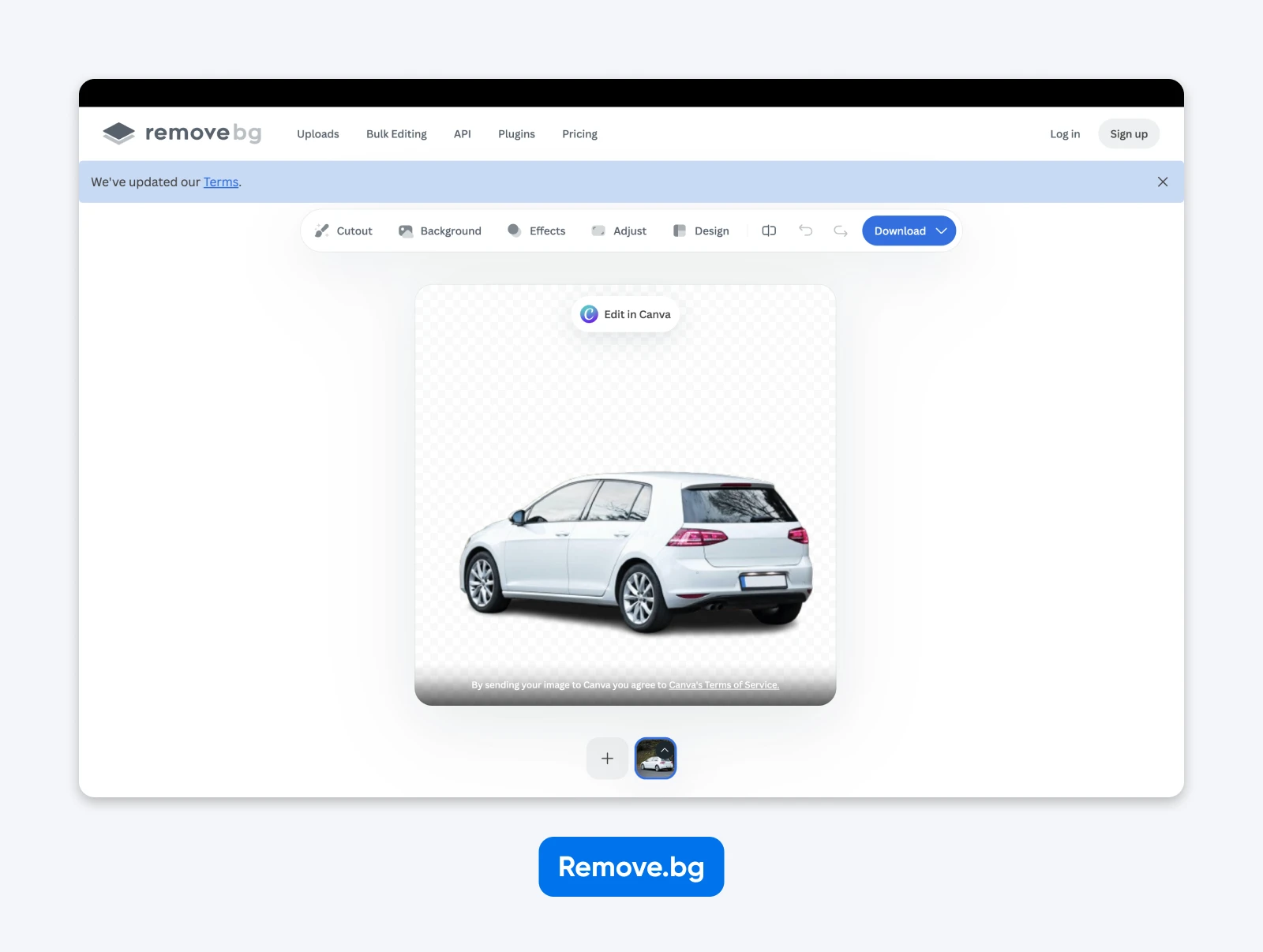
After that… effectively, you may add a brand new background. Plus, you get a number of easy modifying choices, powered by Canva.
General, there’s not a lot to dislike right here. Take away.bg stays in its lane and will get the job finished.
Finest AI options:
- Take away backgrounds (duh).
- Exchange backgrounds.
- It simply does backgrounds, okay?!
Weaknesses:
- Solely removes or replaces backgrounds (aside from fundamental modifying instruments).
What customers say:
“Take away.bg has been a lifesaver for my design work. It removes backgrounds from photographs inside seconds and does a surprisingly clear job, even with complicated edges.” — Friedrich on Trustpilot.
Pricing: You get one free credit score to strive; then PAYG or subscriptions from $8.10 per 30 days.
What Are the Finest AI Picture Editors for Quick Fixes?
High quality isn’t all the time crucial factor. Typically, you simply have to spruce up a heap of photographs within the shortest time potential.
Listed below are the most effective AI instruments for the job:
Imagen AI: Finest for Personalised Batch Modifying
In line with the parents behind Imagen, this batch picture editor can improve any picture in 0.5 seconds. All we all know is, this app is muy rapido.
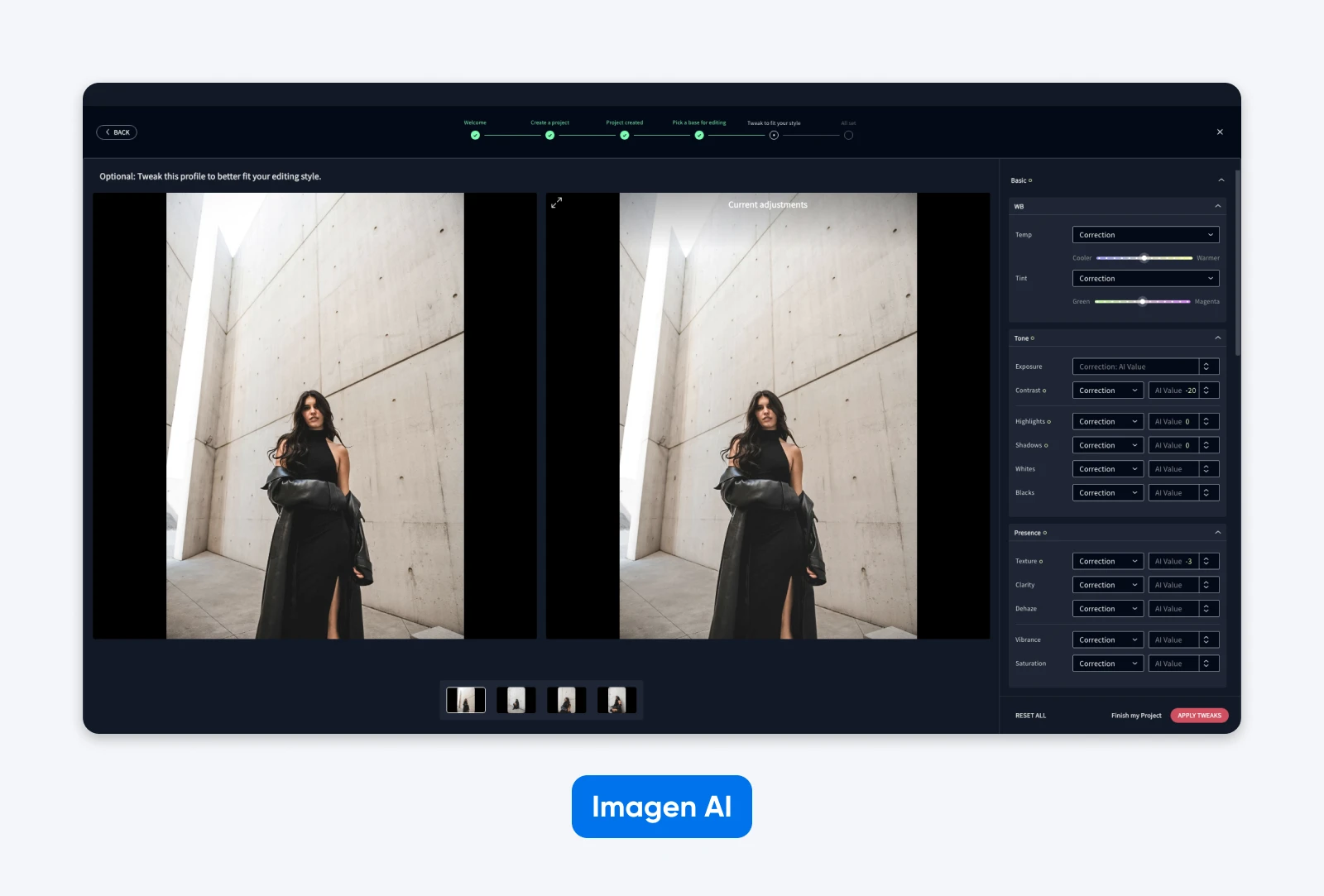
The standout function is the AI profile software. This allows you to prepare Imagen to edit in your private modifying fashion. Or should you desire, you may copy and remix the kinds of skilled execs.
The outcomes are stable. Not often good, however you wouldn’t be embarrassed to publish them. You would possibly simply wish to make a number of tweaks utilizing the extra AI instruments, which embrace cropping, de-noising, and pores and skin smoothing.
Finest AI options:
- Apply batch edits in your chosen fashion.
- AI culling that can assist you kind by means of giant batches.
- Further AI instruments for superb tuning.
Weaknesses:
- You need to pay for each AI motion, or join an costly subscription.
What customers say:
“I used it on a marriage I shot and used John Department’s Pure feels and it was superior! 2000 photographs edited all constant in like 20 min! I did have to return and crop out distractions however I didn’t thoughts trigger the I saved sooooooooo a lot time on the modifying.” Rjs-images81 on Reddit.
Pricing: PAYG begins at $0.05 per picture, with extra micro expenses for AI instruments; month-to-month subscriptions begin at $67.50 per 30 days.
Radiant Picture 2: Finest Low-Effort AI Editor
Radiant Picture is an editor for individuals who don’t actually like modifying.
Once you load a picture, the app makes use of AI to determine the important thing topics. It then applies selective enhancements, based on what look you need.
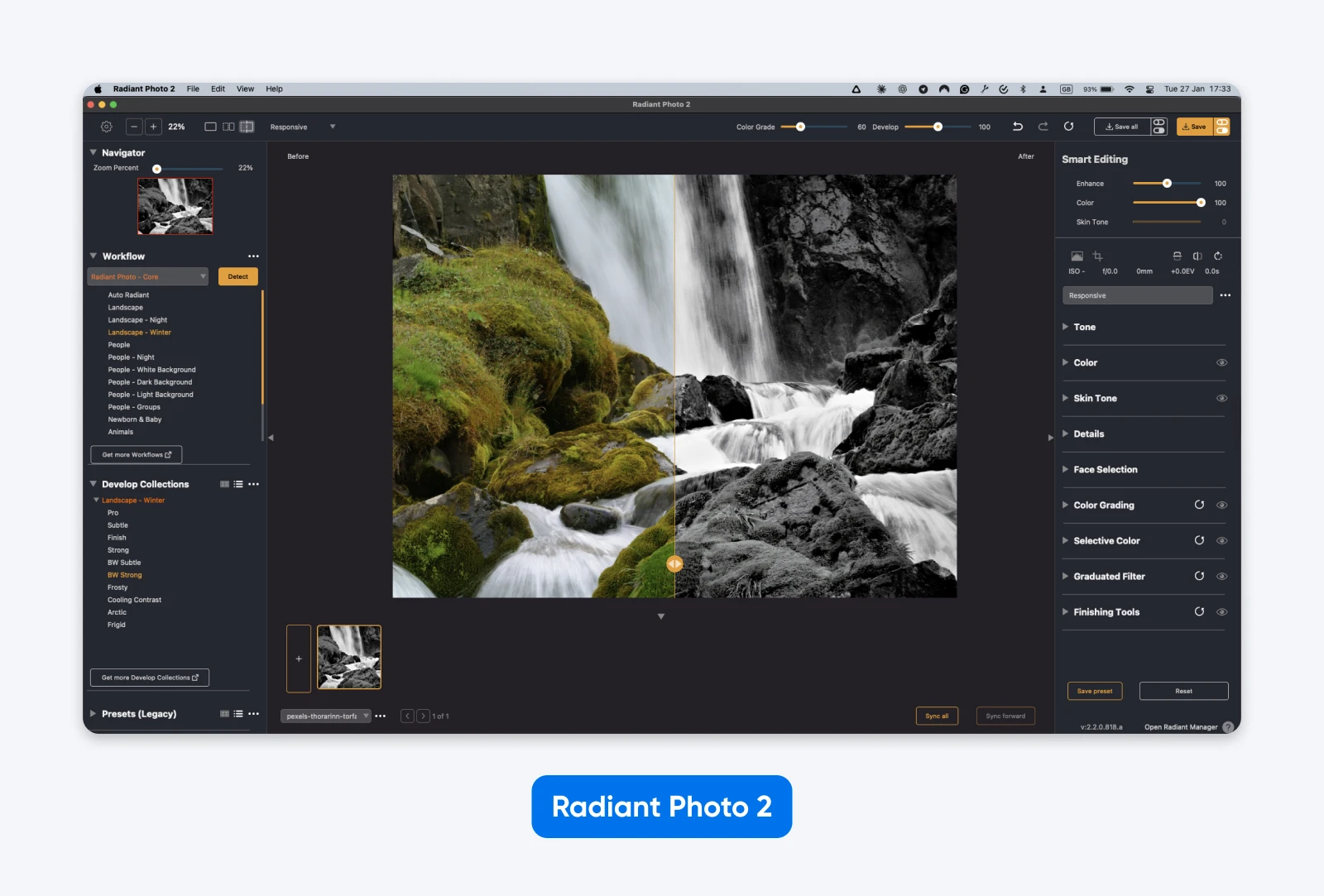
The outcomes are usually satisfying and genuine; Radiant doesn’t use generative AI.
Once more, the controls are actually easy. You may apply sweeping adjustments with one slider. It additionally comes with a great deal of one-click presets, overlaying a variety of picture kinds.
Finest AI options:
- Clever topic detection, overlaying many genres.
- Automated enhancement with guide management.
- Topic-specific workflows, like pet and portrait images.
Weaknesses:
- Not the strongest set of instruments for guide changes.
- You need to purchase the workflows individually.
What customers say:
“It analyzes the picture, figures out the content material and the temper, and proposes presets to create the best model. This sounds megalomaniacal, however the outcomes it affords are pleasing to the attention.” garbidz on DP Overview
Pricing: Base software program is $159 (one-time buy). Workflows are priced at $79, or you may unlock every part for $349.
What Are the Finest Superior AI Picture Editors?
Whereas AI makes it a lot simpler to edit pictures, the most effective outcomes nonetheless require some talent.
For those who’re completely satisfied to get a bit technical, these superior AI-fueled editors might help you obtain optimum picture high quality:
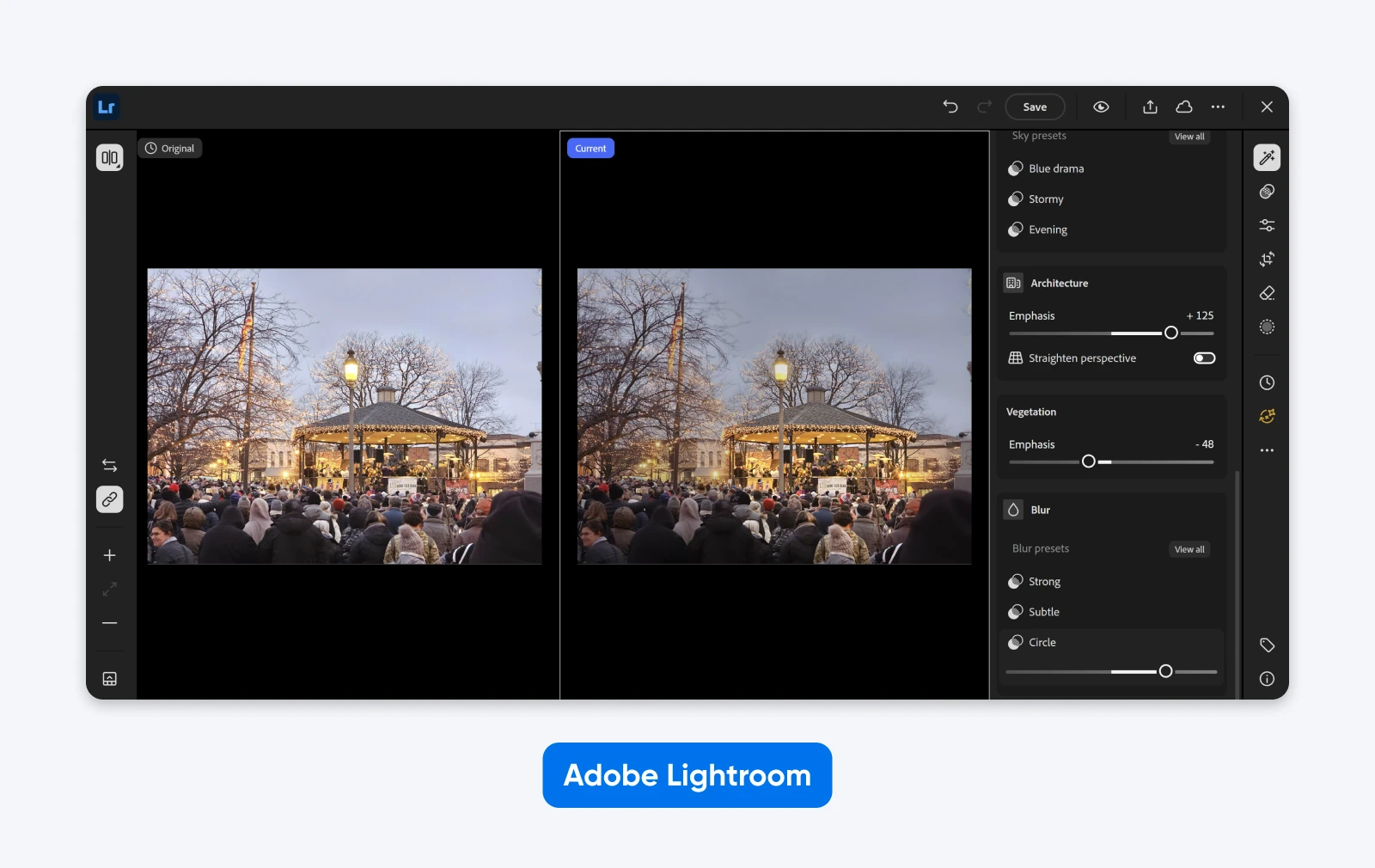
Adobe Lightroom/Photoshop: Finest Professional-Grade AI Editors
Everybody is aware of Adobe’s Artistic Cloud. However have you ever heard in regards to the newest AI options?
Lightroom makes use of AI to choose the most effective frames from a batch, robotically masks topics, take away undesirable distractions, cut back noise, and create sensible lens blur.
In Photoshop, the star attraction is the generative fill. Don’t just like the background? AI can exchange it. A great deal of distractions? You may paint over them with shiny new AI-generated pixels. Photoshop even makes use of AI to increase your picture past the body.
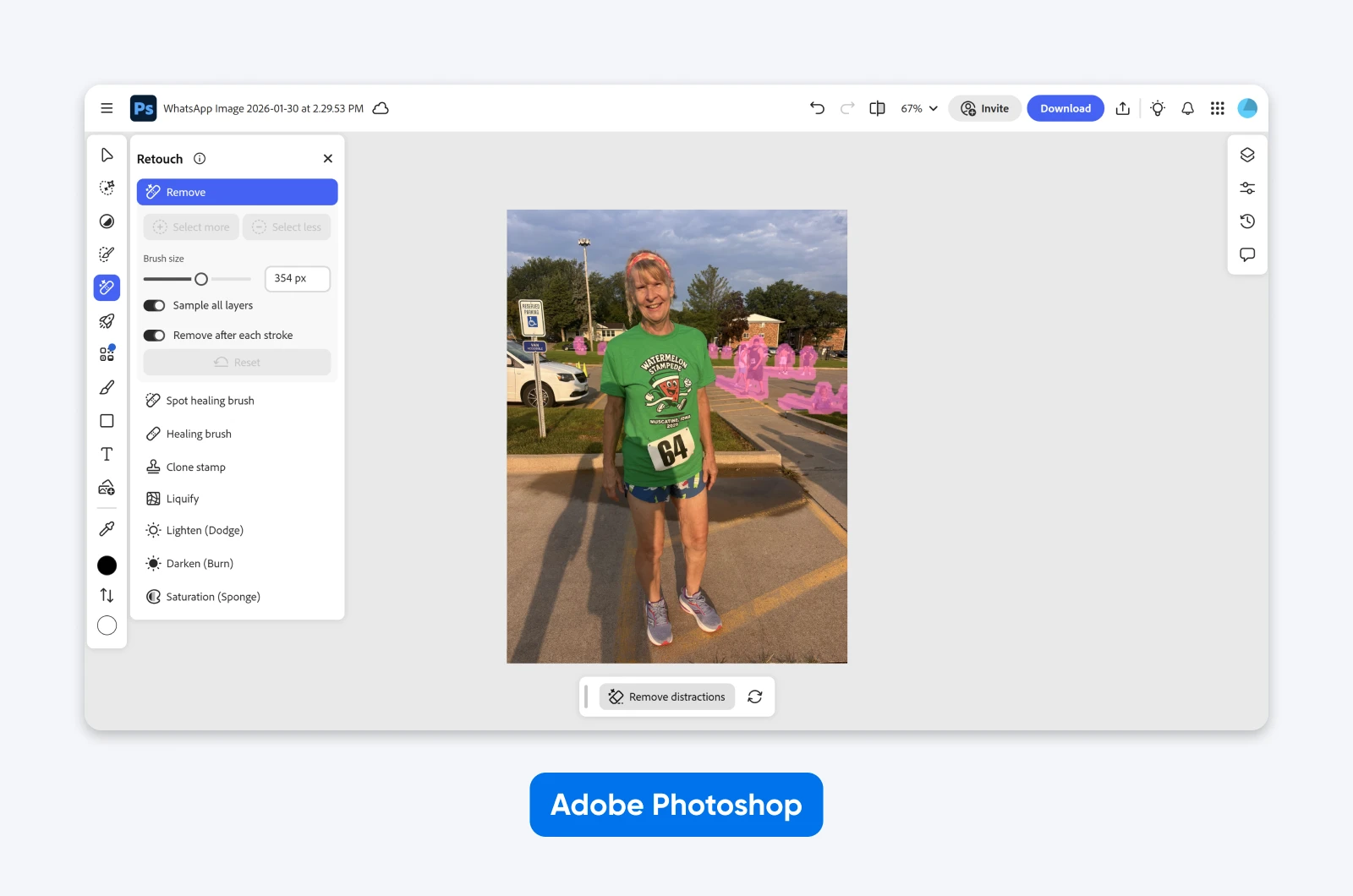
It’s quick, efficient, and just a bit mind-blowing. For those who can abdomen the subscription, it’s a compelling bundle.
Finest AI options:
- Lightroom: AI sorting to search out the most effective frames.
- Lightroom: highly effective AI noise discount.
- Photoshop: Generative Fill and Increase for including new content material.
Weaknesses:
- Artistic Cloud subscriptions usually are not low cost.
What customers say:
“I’ve additionally been enjoying round with studio photographs that I shot, and placing the topic in quite a lot of areas…. I’m fairly proficient with Photoshop, so I may have finished this earlier than. However not in lower than 5 minutes, all of the whereas matching the sunshine and shadows.” Obi-Wayne on Reddit
Pricing: Bundled collectively for $19.99 per 30 days (annual subscription).
ON1 Picture RAW: Finest All-in-One AI Modifying Workflow
Whereas Lightroom and Photoshop work as a tag staff, ON1 Picture RAW combines group and modifying in a single seamless workflow. And it really works properly.
ON1 affords clever masking, generative fill to exchange undesirable objects, noise discount, AI-enhanced sharpening, and highly effective upscaling. Nothing distinctive, simply helpful stuff.
Essentially the most notable function is the adaptive AI presets, which change to match the content material in your photographs. In our exams, these one-click edits produced very tasteful outcomes.
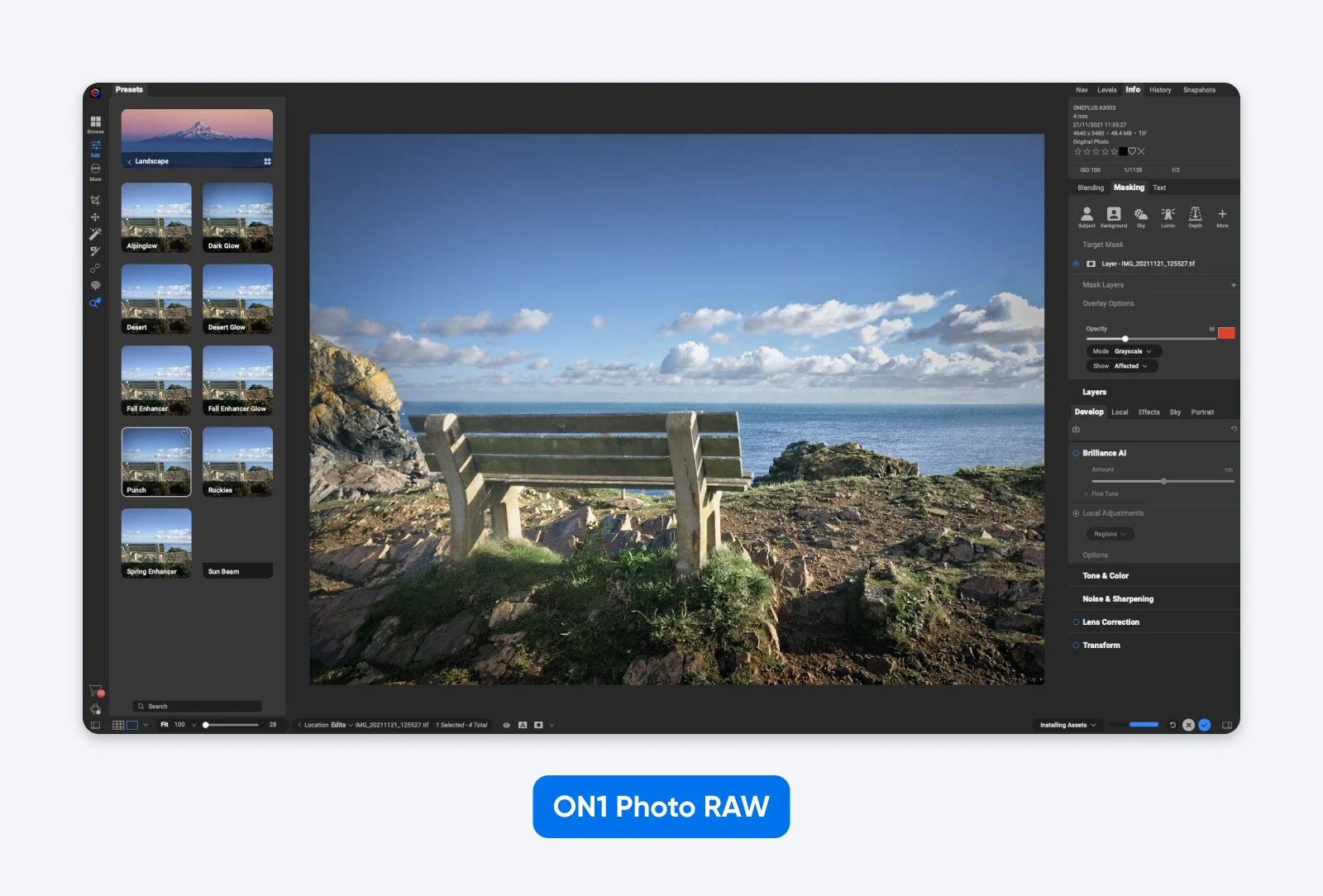
Apart from modifying, ON1 makes use of AI so as to add key phrases to all of your pictures robotically. For those who’re a prolific editor, this might be an enormous time saver.
Finest AI options:
- AI presets that adapt to the content material of your photographs.
- Number of AI-enhanced guide modifying instruments.
- AI-powered key phrase tagging for simpler group.
Weaknesses:
- Packing so many options into one app comes at the price of velocity.
- It additionally makes the interface cluttered; it seems like flying a spaceship.
What customers say:
“I take advantage of On1 Picture RAW and I can advocate it; it’s extra inexpensive than Adobe and has options from each Photoshop and Lightroom… The AI denoise and elimination work effectively, and the masking brushes can do some wonderful stuff.” — Icanhazplasmaz on Reddit.
Pricing: You should purchase a perpetual license for $99.99, or subscribe for $99.99 yearly to get the most recent model with cloud storage and a plugin possibility.
How Do You Select the Proper AI Picture Editor?
It’s in the end right down to what you wish to obtain, your degree of modifying expertise, and your finances.
- Wish to make nice content material on your web site or social media? Attempt Luminar Neo or Canva.
- Modifying product pictures on your on-line retailer? Use Photoroom or Claid.
- In a rush? Imagen AI and Radiant Picture 2 might help.
- Know what you’re doing, however need extra energy? Look to Lightroom, Photoshop, and ON1 Picture RAW.
- On a decent finances? Use Take away.bg or Photoroom on the free plan.
Keep in mind, many of those apps have free trials. Take them for a take a look at drive your self!
Professional Companies – Design
Lovely Web sites, Designed From Scratch
Stand out from the group with a contemporary WordPress web site that’s 100% distinctive to you.
FAQs on AI Picture Editors
Nonetheless thirsty for extra data? We’re completely satisfied to quench your curiosity — listed below are some extra solutions!
Do you want an AI picture editor or an AI picture generator?
AI picture editors are primarily for making adjustments to present photographs. In distinction, AI picture turbines (equivalent to Midjourney and Adobe Firefly) are designed to create visible content material from scratch.
What’s the finest free AI picture editor?
There are few really free AI picture editors. Photoroom affords a free plan. Pixlr allows you to save as much as three photographs per day. And Take away.bg allows you to take away backgrounds without cost.
Will AI exchange human editors?
Not for a while! Whereas AI can velocity up sure duties, it’s not but able to modifying a picture completely from begin to end.
Is it protected to edit my pictures with AI?
Usually, sure. However be cautious about importing extremely private photographs; AI firms might use them for coaching information.
Ought to I reveal that my footage had been edited with AI?
It relies upon. For those who’re simply eradicating a number of stray hairs from a portrait, most likely not. However should you make radical adjustments to your picture, you most likely ought to disclose it.
Many social media platforms (e.g. Fb, YouTube) require you to label content material that has been “considerably altered” by AI. And in sure jurisdictions, just like the EU and China, the legislation now calls for it.
Did you take pleasure in this text?